10 Best Online Coding Classes for Kids (Free & Premium Options)
Give your child a head start in the digital age. Compare top-rated interactive platforms, languages (Python, Scratch, Minecraft), and pricing starting from 100% free.
Quick Summary
Transforming Screen Time into Tech Mastery
In an era where digital devices are an inescapable part of family life, finding high-quality online spaces for our children is no longer optional—it’s an investment in their future.
Whether you are looking to support their formal schoolwork or simply want to spark their problem-solving skills over a quiet weekend, navigating the massive wave of digital platforms can feel overwhelming.
This guide cuts through the noise. We deliver an honest, fluff-free look at the best open-source launchpads, beginner-friendly bootcamps, and virtual robotics programs designed with one simple goal in mind: transforming our kids from passive screen consumers into creative, confident tech builders.
“When you look at the global communities built around platforms like MIT Scratch, the feedback from the children themselves is telling. Across these open-source networks, young creators consistently note a distinct shift in their habits: they prefer the active challenge of designing a game over the passive loop of scrolling through social feeds. For them, programming isn't a chore—it is an outlet where they can share original ideas, test logic, and build things that their peers around the world can actually play.”
Not Sure Which Coding Course to Choose? Start Here
Use this quick comparison matrix to measure target age ranges, skill levels, and primary learning outcomes across the industry’s most effective selections.
| 📘 Course | 🎂 Age | 🎯 Skill | 💻 Core Tech | 🧠 Learning Focus | 💰 Cost |
|---|---|---|---|---|---|
|
Coding for Kids (Teacher/Parent Guide)
⭐ Editor's Pick
|
8–11 Yrs | 🟢 Beginner | MIT Scratch | Story-to-code narrative logic | 💚 Free |
|
Programming for Kids: Fun Logic
🔥 Popular
|
7–12 Yrs | 🟢 Beginner | Code.org | Problem-solving frameworks | 💚 Free |
| Coding for Kids with Minecraft | 8–14 Yrs | 🟢 Beginner | Visual Modding | Spatial loops & variables | 🏷 Paid |
| Learn to Code in Scratch | 6–11 Yrs | 🟢 Beginner | Scratch 3.0 | 2D arcade game mechanics | 🏷 Paid |
| Coding for Kids: Scratch, HTML, Python & AI | 8–15 Yrs | 🟢 Beginner | Multi-Language | Tech stack basics & AI intro | 🏷 Paid |
| Teach Your Kids to Code (Python) | 9–16 Yrs | 🟡 Intermediate | Python Turtle | Syntax & layout geometry | 🏷 Paid |
| Robotics for Kids | 7+ Yrs | 🟢 Beginner | Arduino | Circuits & automation | 🏷 Paid |
| Algorithms & Minecraft | 8–14 Yrs | 🟢 Beginner | Java Minecraft | Recursion & fractals | 🏷 Paid |
| Python Programming for Beginners | 11+ Yrs | 🔵 Absolute Beginner | Python 3 / LeetCode | Foundations & problem-solving | 🏷 Paid |
| HTML & CSS for Kids | 11–16 Yrs | 🟢 Beginner | HTML5 / CSS3 / VS Code | Flexbox, Grid & Layout Styling | 🏷 Paid |
Affiliate Disclosure: We independently research and test every course we recommend. If you buy a course through our special coupon links, we may earn a small commission at zero extra cost to you. This helps support our work in bringing trusted parenting resources to families everywhere.
Looking to wind down your little one for a restful night?
Explore our curated selection of top-rated reads designed to calm active minds and support early cognitive growth in our Best-selling Bedtime Stories for Kids: Top 4 Storybooks for Relaxing Nights and Brain Development.
Why Coding Beats Regular Screen Time?
When we begin exploring the world of virtual learning for our kids, most of us naturally start with standard educational apps or basic video lessons. While these tools certainly have their place, specialized programming tracks offer something entirely different: they introduce children to the foundational language of computational thinking.
Rather than allowing kids to passively scroll through a screen, coding invites them to become active problem-solvers. The process breaks down into three natural, logic-building habits:
Perhaps the greatest gift programming offers our children isn't technical at all—it is emotional resilience. In the world of software, errors are rarely viewed as personal failures; they are simply puzzles waiting to be solved. When a line of code breaks, kids don't give up. Instead, they learn to look for the "bug" and fix it. It completely redefines screen time, transforming it from a passive distraction into a playground for logical growth.
*Disclaimer: This post contains affiliate links. If you enroll through these links, we may earn a commission at no extra cost to you.*
Building foundational motor skills and sensory play early?
Discover expert-backed sensory play selections and interactive choices detailed in Best Toys for 6 to 12 Months: Essential Picks to Boost Baby Development.
In-Depth Reviews: Top 10 Online Coding Courses Evaluated
1. Coding for Kids – A Guide for Teachers and Parents (Free Course)
Created by Jim Gribble | Target Audience: Upper Elementary School (Ages 8–11), Parents & Educators
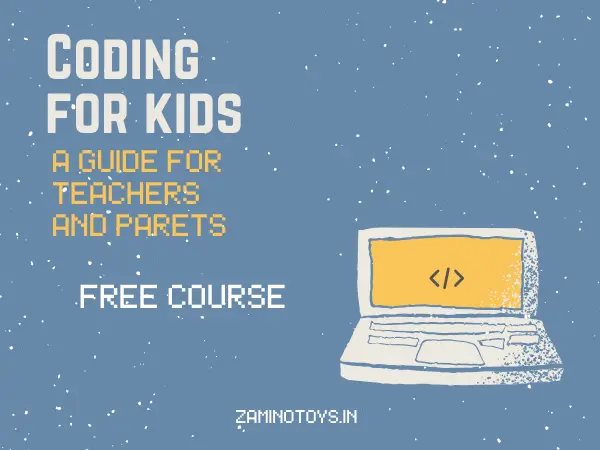
If you are looking for a zero-cost, low-friction introduction to programming that bridges creative writing with technology, this top-rated free course offers the perfect entry point.
📊 Investment Options & Format
Why It Excels for Early Development & Classroom Learning:
- Bridges Literacy and Computer Science: Integrates coding directly into creative writing—allowing children to code stories they wrote themselves.
- Employs the Proven Model: Structures lessons into concise mini-lessons, interactive group demos, and hands-on independent coding.
- Zero Financial Risk: A 100% free resource requiring only a computer and internet connection as an ideal testing ground.
| Metric | Rating / Value | Panel Assessment |
|---|---|---|
| Cost | 100% Free | Excellent value for families, teachers, and schools. Learn without spending anything. |
| Time Required | Around 1 Hour | A short, beginner-friendly lesson that can be completed in one sitting. |
| Community Rating | 4.4/5 (509+ Reviews) | Trusted by more than 26,900 learners, showing consistent positive feedback. |
| Requirements | Basic Computer Skills | No coding experience is needed. Just a computer, internet connection, and willingness to learn. |
2. Programming for Kids – How to Make Coding Fun (Free Course)
Created by Fractus Learning | Target Audience: Parents, Elementary Teachers & School Educators
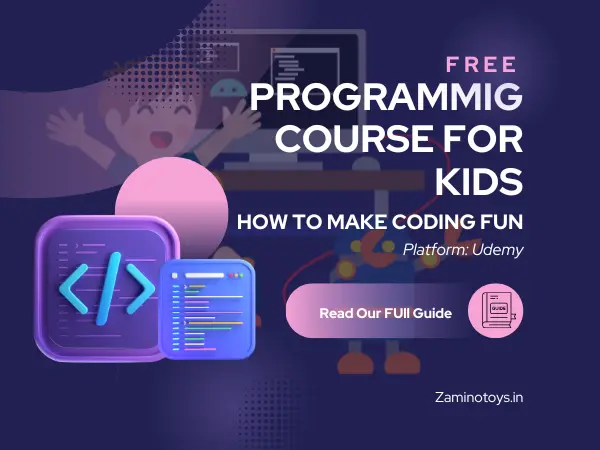
If you are a parent or educator looking for a clear, non-technical blueprint to inspire a love for computer science, this highly popular starter course provides an ideal, syntax-free roadmap.
Why It Excels for Parents & Educators?:
- Focuses on Mindset Before Syntax: Bypasses tedious syntax rules to focus purely on building a child's problem-solving mindset, curiosity, and positive attitude toward technology.
- Curates the Best Free Coding Platforms: Saves parents dozens of hours of research by providing direct links, digital resources, and printable materials for top-tier kids' coding apps and websites.
- Provides a Structured 4-Stage Roadmap: Guides adults through a logical 4-part framework—Preparation, Before the Code, Where to Start, and Next Steps—making it effortless to transition a child from basic games to structured learning.
📊 Investment Options & Format
| Metric | Rating / Value | Expert Assessment |
|---|---|---|
| Cost | 100% Free | Excellent value for families, teachers, and schools looking to spark interest without financial commitment. |
| Time Required | 1 Hour | A compact, high-impact introductory guide designed for quick completion in a single sitting. |
| Community Rating | 4.2 ⭐ (3,057+ Ratings) | Trusted by over 77,400 learners, demonstrating consistent positive feedback from a large global audience. |
| Requirements | Basic Devices & Motivation | Zero prior coding experience needed. Just a computer or mobile device, internet connection, and motivation. |
3. Coding for Kids – Learn to Program with Minecraft (Bestseller)
Created by Larry Coding School | Target Audience: 8 to 14 Years Old (and adult beginners)
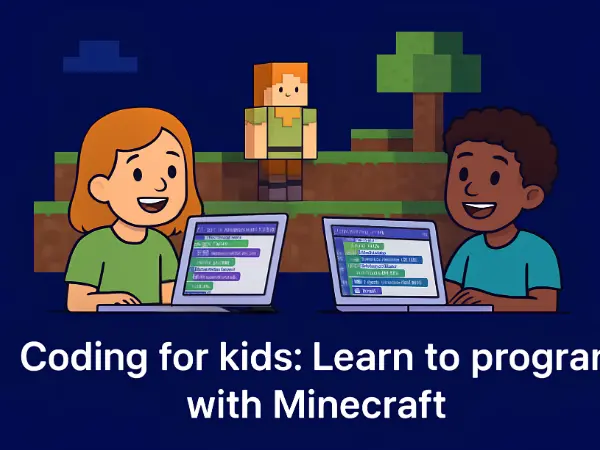
“Coding for Kids: Learn to Program with Minecraft” by Larry Coding School is a 6-hour Udemy bestseller that teaches children ages 8–14 core programming concepts using Minecraft Java Edition. Rated 4.4/5 stars across 4,000+ learners, it transforms passive gaming into active coding skills like loops, variables, and logic statements through a browser-based editing platform.
Why It Excels for Young Programmers?:
- Transforms Passive Gaming into Active Development: Instead of simply playing, children learn to program custom structures, spawn mobs, and craft potions—shifting their screen time mindset from passive consumer to active software creator.
- Bypasses Complicated Software Setups: Avoids the heavy technical frustration of installing Minecraft Education Edition by connecting a standard web browser directly to standard Minecraft Java Edition.
- Teaches Essential Computer Science Fundamentals: Seamlessly introduces foundational coding building blocks—including variables for data storage, functions, conditional logic statements, and loops for repeating actions.
📊 Investment Options & Format
| Metric | Rating / Value | Panel Assessment |
|---|---|---|
| Cost Value | Personal Plan / Discounted Sale | Excellent ROI for a comprehensive 6-hour hands-on coding curriculum with lifetime access. |
| Time Investment | ~6 Hours (50 Lectures) | Divided into 12 short, bite-sized modules ideal for structured weekend projects. |
| Social Proof | 4.4 ⭐ (799 Ratings) | Official Udemy Bestseller trusted by 4,086+ enrolled learners. |
| Prerequisites | PC/Mac + Java License | Requires basic familiarity with playing Minecraft and an active Java Edition license. |
4. Programming for Kids and Beginners: Learn to Code in Scratch
Created by Daniel Ciocîrlan | Target Audience: Kids & Absolute Beginners (Ages 8+), Parents & Teachers
If you are looking for an immersive, highly rated introduction to programming that uses gamified visual blocks to teach complex logic, this comprehensive course offers an exceptional beginner-friendly curriculum.
Why Young Programmers & Novices Love It:
- Hides Complexity Behind Fun: Makes difficult computer science concepts stress-free using characters, animations, and entertaining analogies.
- Practical Game Cloning: Students build hands-on clones of popular games like Flappy Bird and Pac-Man.
- Accelerates Future Coding Speeds: Trains core computational intuition to transition to text languages 2x to 10x faster later.
📊 Investment Options & Format
| Metric | Rating / Value | Panel Assessment |
|---|---|---|
| Cost Value | Udemy Personal Plan / Individual | High-value, extensive curriculum offering lifetime access and deep foundational training. |
| Time Investment | 7.5 Hours | Comprehensive multi-hour deep dive ideal for dedicated young learners or structured study. |
| Social Proof | 4.5 ⭐ (12,532+ Ratings) | Elite community backing with over 45,780+ active learners enrolled. |
| Prerequisites | None | Requires zero prior programming knowledge—starts completely from scratch. |
5. Coding for Kids: Code in Scratch, HTML, Python & AI + More
Created by Craig Blewett & Joshua Blewett | Target Audience: Kids, Absolute Beginners, Parents & Students
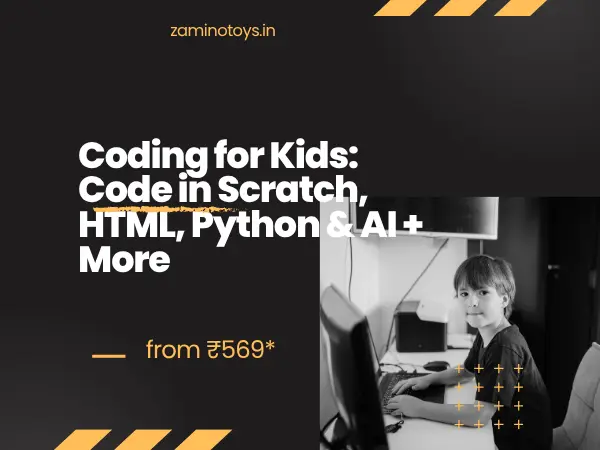
“Coding for Kids: Code in Scratch, HTML, Python & AI + More” This thorough 11-hour Udemy course by Craig and Joshua Blewett teaches complete novices how to create games, webpages, and scripts using Scratch, HTML, and Python. This course, which has a great 4.5-star rating from 554+ reviews and has been trusted by over 2,301 students, combines professional academic education with young insight to ignite a lifetime interest in technology.
Why Young Programmers Love It:
- Bridges Visual to Text-Based Coding: Starts with MIT’s intuitive Scratch blocks before smoothly scaling up to real-world HTML and Python.
- Teaches Through Practical Game & Project Creation: Students learn by doing, building over 5 unique games and custom web pages to maximize engagement and problem-solving skills.
- Combines Expert Instruction with Relatable Insight: Co-created by an educational technology PhD educator and a young coding prodigy to make complex tech concepts accessible and fun.
📊 Investment Options & Format
| Metric | Rating / Value | Panel Assessment |
|---|---|---|
| Cost Value | Udemy Personal Plan / Subscription (From ₹500.00/month) | High-value, extensive curriculum offering broad access to top-rated courses and deep foundational training. |
| Time Investment | 11 Hours | Comprehensive on-demand video deep dive ideal for dedicated young learners or structured study. |
| Social Proof | 4.5 ⭐ (554+ Ratings) | Strong community backing with over 2,301+ active learners enrolled. |
| Prerequisites | None | Requires zero prior programming knowledge—only basic computer operation is needed to start completely from scratch. |
7. Robotics for Kids : Learn coding while building Robots
Created by Robolabz STEM School | Target Audience: Kids (7 years+), Beginners, Parents, Teachers & Hobbyists
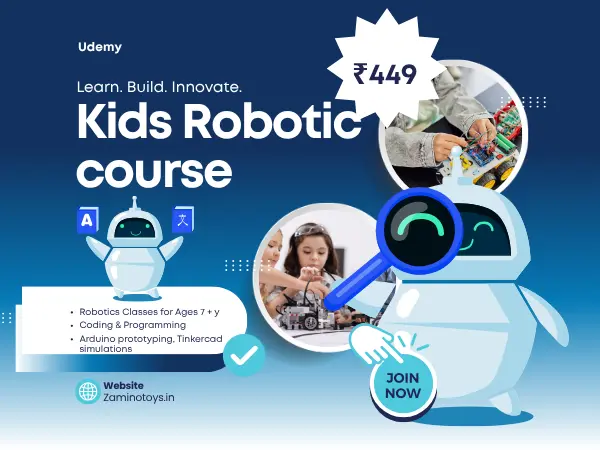
“Robotics for Kids : Learn coding while building Robots” by Robolabz STEM School is a comprehensive 4.5-hour Udemy course designed to teach absolute beginners how to design circuits and program Arduino using visual drag-and-drop software and Tinkercad simulations. Trusted by over 1,669 learners with a stellar 4.6-star rating from 200 ratings, this course skips tedious theory to let students dive straight into building virtual and physical electronic devices, LED circuits, motors, and obstacle-avoiding robots from day one.
Why Young Programmers Love It:
- Zero-Hardware Simulation First: Leverages Tinkercad simulations to let students experiment safely with circuits and programming before purchasing physical hardware.
- Bridges Visual Blocks to Real Code: Uses Scratch-based drag-and-drop programming to teach loops and conditionals intuitively while automatically generating underlying Arduino IDE code.
- Practical Project-Based Learning: Empowers learners to build real-world creations, ranging from basic LED and motor circuits to fully functional obstacle-avoiding robots.
📊 Investment Options & Format
| Metric | Rating / Value | Panel Assessment |
|---|---|---|
| Cost Value | Udemy Personal Plan / Subscription (From ₹500.00/month) | High-value, extensive curriculum offering broad access to top-rated courses and deep foundational training. |
| Time Investment | 4.5 Hours | Comprehensive on-demand video deep dive designed for fast, practical learning without endless lectures. |
| Social Proof | 4.6 ⭐ (200+ Ratings) | Strong community backing with over 1,669 active learners enrolled. |
| Prerequisites | None | Requires zero prior technical, electronics, or programming knowledge—starts completely from scratch. |
9. Python Programming for Complete Beginners
Created by Scott Barrett | Target Audience: Absolute Beginners, Students, Hobbyists & Career Changers
“Python Programming for Complete Beginners” by Scott Barrett is a comprehensive 4-hour Udemy course designed to fast-track absolute beginners into Python development. Trusted by 851 learners with an outstanding 4.7-star rating from 279 ratings, this course combines engaging animated visual lessons with browser-based LeetCode exercises to build core problem-solving intuition from scratch.
Why Beginners Love It:
- Vibrant Animated Lessons: Transforms abstract programming concepts into engaging, visual explanations that make learning fast, intuitive, and fun.
- In-Browser LeetCode Exercises: Features 67 interactive coding challenges that let students practice instantly with zero complex software setup required.
- Pragmatic Problem-Solving Focus: Bridges the gap between basic syntax and real-world challenges, training learners to think like professional programmers.
📊 Investment Options & Format
| Metric | Rating / Value | Panel Assessment |
|---|---|---|
| Cost Value | Udemy Personal Plan / Subscription (From ₹500.00/month) | High-value, fast-track curriculum offering broad course access and deep foundational training. |
| Time Investment | 4 Hours | Concise, high-impact video deep dive ideal for rapid skill acquisition and structured daily practice. |
| Social Proof | 4.7 ⭐ (279 Ratings) | Exceptional user satisfaction with over 851 active learners enrolled. |
| Prerequisites | None | Requires zero prior coding experience—just a computer and a willingness to dive in and learn. |
10. HTML and CSS to Kids Age 11 and above
Created by Sunil Nair (MCT), ByteSize Trainings | Target Audience: Kids Ages 11+, Parents, Teachers & Guardians
“Teach HTML and CSS to Kids Age 11 and above” by Sunil Nair and ByteSize Trainings is a 4-hour Udemy course designed specifically for adults to mentor young learners through modern web development. Trusted by over 218 students with a 4.1-star rating from 41 ratings, this course bridges the gap in standard school curriculums by teaching advanced layout and styling concepts using free tools like Visual Studio Code and simple, easy-to-follow English instructions.
Why Teachers, Parents, and Students Love It:
- Goes Beyond Basic School Curriculums: Delivers 300% more content than traditional school programs, covering advanced styling like CSS Flexbox, Grid, cards, and transitions instead of stopping at basic HTML.
- Structured Multi-Modal Learning: Combines easy-to-follow instructional videos, 35 illustrated chapters, 45 code samples, and 15 practical coding exercises.
- Empowers Adult Mentorship: Purpose-built for parents and educators to guide children safely through real-world web development tools and practices.
📊 Investment Options & Format
| Metric | Rating / Value | Panel Assessment |
|---|---|---|
| Cost Value | Udemy Personal Plan / Subscription (From ₹500.00/month) | High-value, comprehensive curriculum offering extensive learning materials and deep foundational training. |
| Time Investment | 4 Hours | Concise, high-impact video content perfectly sized for structured study sessions or classroom curriculums. |
| Social Proof | 4.1 ⭐ (41+ Ratings) | Dedicated community backing with over 218 active students enrolled. |
| Prerequisites | Basic Typing & Reading Skills | Requires only basic keyboard typing and reading comprehension—utilizes free Microsoft Visual Studio Code software to start from scratch. |
Looking for deeper, evidence-based strategies for your child's daily growth?
Dive into our comprehensive collection of professional tips, milestone breakdowns, and modern developmental insights by exploring our Parenting Advice Blog.
Quick Guide: US vs. Indian Learning Styles for Online Coding Classes for Kids
The choice of online coding classes for kids often depends on where your child goes to school. The United States and India handle computer science quite differently, and tailoring your child's course to their regional style makes a huge impact.
🇺🇸 The US Method: Soft Skills & Creativity
US courses often encourage independent exploration and cooperation, such as teaching students how to pitch a game concept to their classmates.
🇮🇳 The Indian Way: Logic, Structure, and Academic Rigor
The Indian approach mixes critical thinking with a strong drive for academic excellence and structured school performance. It aligns with educational frameworks like the National Education Policy (NEP), emphasizing deep mathematical logic, problem-solving speed, and structured exams.
3 Easy Steps to Set Up Your Child’s Coding Workspace
Even the greatest online coding programs for kids might fall short if a kid is distracted or unhappy. Before their first class, complete this quick checklist to establish a comfortable learning environment:
Use a Real Screen (No Phones)
Drag-and-drop coding apps need a lot of visual space to show code blocks and animations at the same time.
Plug in a Real Mouse
Laptop trackpads cause a lot of hand fatigue during long coding sessions when kids have to drag blocks across the screen.
Use Headphones for Focus
Background noises like traffic or kitchen sounds instantly break a child's concentration loop.
❓ Frequently Asked Questions
Will online coding classes for kids cause extreme eye strain for my child?
My child has zero interest in math. Will they struggle with programming?
How do we choose between self-paced videos and live 1:1 online coding classes for kids?
Is block-based coding like Scratch in online coding classes for kids considered "real" programming?
Is it safe for young kids to learn coding in online coding classes for kids if they don't know how to type yet?
What are the best free online coding classes for kids to start learning code at home?
Quick Recommendation Guide: Which Path Fits Your Child?
Looking for more expert-curated guides, tips, and informative articles?
Browse our entire collection of insightful parenting resources, technology learning breakdowns, and developmental articles by visiting ZaminoToys.in today.
📚 Sources & Educational Frameworks Referenced:
- National Education Policy (NEP) Curriculum Guidelines – Government of India
- MIT Scratch Foundation – Visual Programming Research & Documentation
- Code.org – K-12 Computer Science Framework and Logic Curriculums
- Udemy Instructor Marketplace – Platform Course Metrics & Data